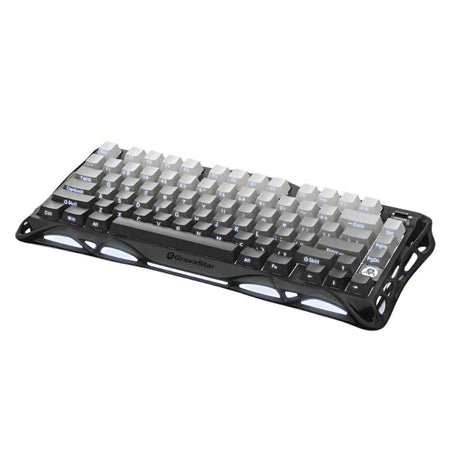
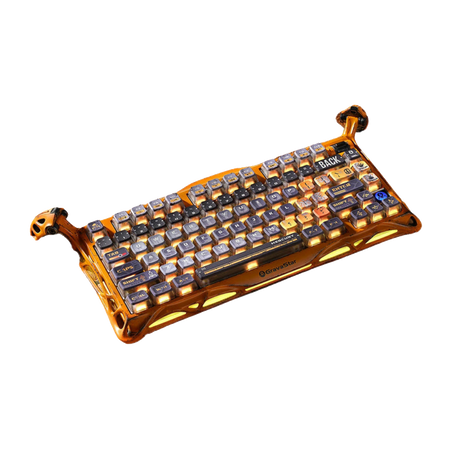
he GravaStar Mercury K1 75% Wireless Mechanical Gaming Keyboard combines speed, precision, and style in a compact design. Featuring Razer Optical Switches , this keyboard ensures fast key presses with near-instant response times . The RGB backlighting with 16.8 million colors allows for full customization, while the full English keyboard layout makes it a great choice for Arabic-speaking users. Designed for comfort and durability , the Mercury K1 is built to last with a 100-million keystroke lifespan and includes a wrist rest for extended gaming or work sessions . Key Features Fast Key Presses – Razer Optical Switches for accurate and responsive keystrokes. RGB Lighting – 16.8 million colors with customizable effects via software. Full English Layout – English keys for seamless typing. Comfortable Wrist Rest – Reduces hand strain for long gaming and work sessions. Durable Build – Keys last up to 100 million presses for long-term use. Technical Details Switches: Razer Optical Switches Key Lifespan: 100 million presses Backlighting: 16.8 million RGB colors, customizable via software Layout: Full English keyboard Connectivity: USB wired and wireless connectivity options Extras: Dedicated media controls for volume and playback User Benefits Faster Typing & Gaming – Quick-response keys improve reaction time in games and efficiency at work. Custom Lighting Effects – Adjust RGB colors to match your gaming setup. Improved Comfort – Wrist rest reduces hand fatigue during long sessions. More Control – Dedicated media keys let you adjust sound and playback easily. Built to Last – Durable switches and strong materials ensure long-term reliability. Compatibility Works with Windows and macOS . Compatible with PCs and laptops . Supports Razer software for lighting and key customization . Included in the Box GravaStar Mercury K1 75% Wireless Mechanical Gaming Keyboard – Gradient Black Wrist Rest USB Cable for Wired Connection & Charging Quick Start Guide


 بروسيسور
 مازر بورد
 رام
رام كروت شاشة
 التخزين
 مبرد
مبرد باورسبلاي
 كيس كمبيوتر
 مكونات الكمبيوتر
 إكسسوارات الكمبيوتر
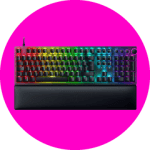 كيبورد جيمنج
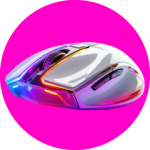 ماوس جيمنج
 موصلات وهاب
 الوايفاي و الشبكة
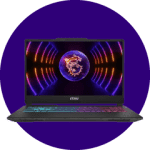 لابتوب جيمنج
 إكسسوارات لابتوب
 شاشات جيمنج
 اذرع الشاشات
 playstation5 console
 إكسسوارات البلايستيشن
 إكسسوارات بلايستيشن 4
 إكسسوارات بلايستيشن 5
 ألعاب بلايستيشن
 ألعاب بلايستيشن 4
 ألعاب بلايستيشن 5
 Xbox
Xbox أجهزة Xbox
 إكسسوارات Xbox
 ألعاب Xbox
 نينتندو
 أجهزة سويتش
 إكسسوارات سويتش
 ألعاب أجهزة سويتش
 Switch 2 Video Games
 Switch Console 2
 الواقع الافتراضي
 اجهزة الواقع الافتراضي
 اكسسوارات الواقع الافتراضي
 أجهزة كونسول أخرى
 الألعاب المحمولة
 أثاث جيمنج
 كراسي جيمنج
 طاولات جيمنج
 الصوتيات
 سماعات الأذن
 سماعات رأس
 مكبرات الصوت
 إكسسوارات لابتوب
 الطاقة
 كابلات
 إكسسوارات أخرى
 الحقائب والتخزين
 ابل
ابل iphone
 iPad
iPad Apple Watch
 Apple AirPods
 Samsung
 Samsung Mobile
 موبايل جيمينج
 ريد ماجيك
 إكسسوارات الهاتف
 أغطية
أغطية لاصقات حماية
 أقلام
أقلام كيبورد للهاتف
 موصلات
 حقائب
حقائب ستاند
ستاند
 بطاقات هدايا iTunes
 بطاقات إهداء بلايستيشن
 بطاقات نينتندو eShop
 بطاقات روبلوكس
 بطاقات xbox
 بطاقات إهداء Steam
 بطاقات ريزر
 فونكو بوب
 فيجرز
فيجرز أكواب
أكواب دمى قطنية محشوة
 زجاجات
 دواسات أرجل
 حامل الهاتف ووحدة التحكم
 سلسلة مفاتيح
 الإضاءة و الساعة
 المجموعات
 الاجهزة الرياضية
 الانشطة الخارجية
 الأجهزة الذكية
 كاميرات مراقبة
 الأضواء الذكية
 أجهزة تلفاز
 الأجهزة المنزلية
 أجهزة المطبخ
 مجموعة الصيف
 العروض
 اوبن بوكس